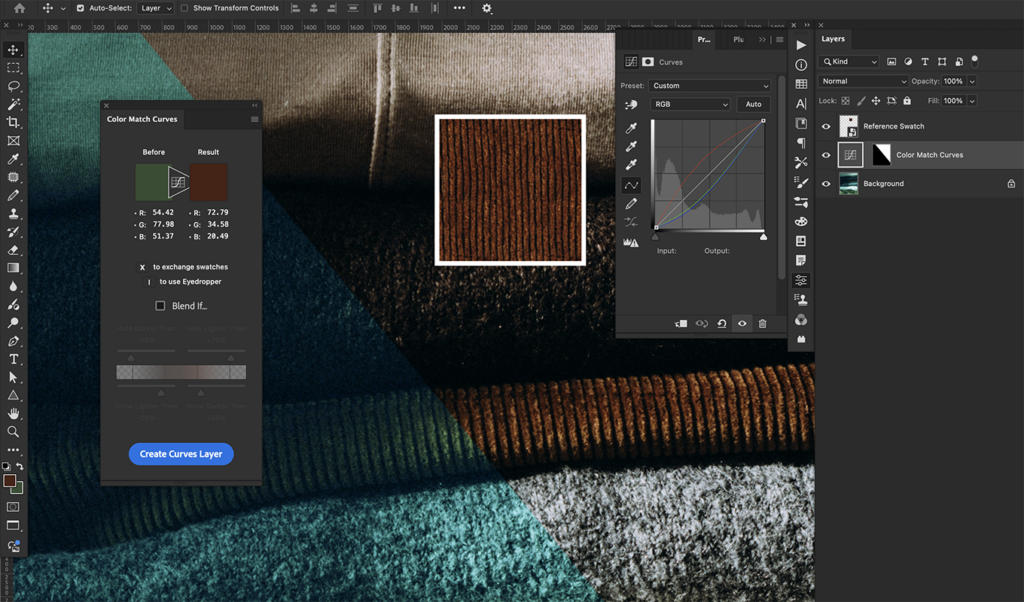
Color Match Curves
Color Match Curves is a plugin I created that allows the quick creation of Curves adjustment layers that match (almost) any color to any other color. This is similar to the gray point selector in the Curves properties, but it works for any color instead of just gray.
This makes it ideal for circumstances where you don’t have a neutral reference like a gray card in shot, but you do have a reference for the color of your subject. It’s also very useful for compositing, where two adjacent areas need to be the same color.
It uses Photoshop’s foreground and background colors as the “Before” and “Result” colors, so you can use the regular Eyedropper tool to pick your colors, adjusting the sample size to get a good average.
While Curves is a global adjustment, the plugin includes an optional Blend If setting, which allows for the exclusion of values darker or lighter than the “Result” color. This allows it to be roughly selective, which in many circumstances is enough to avoid precise masking.
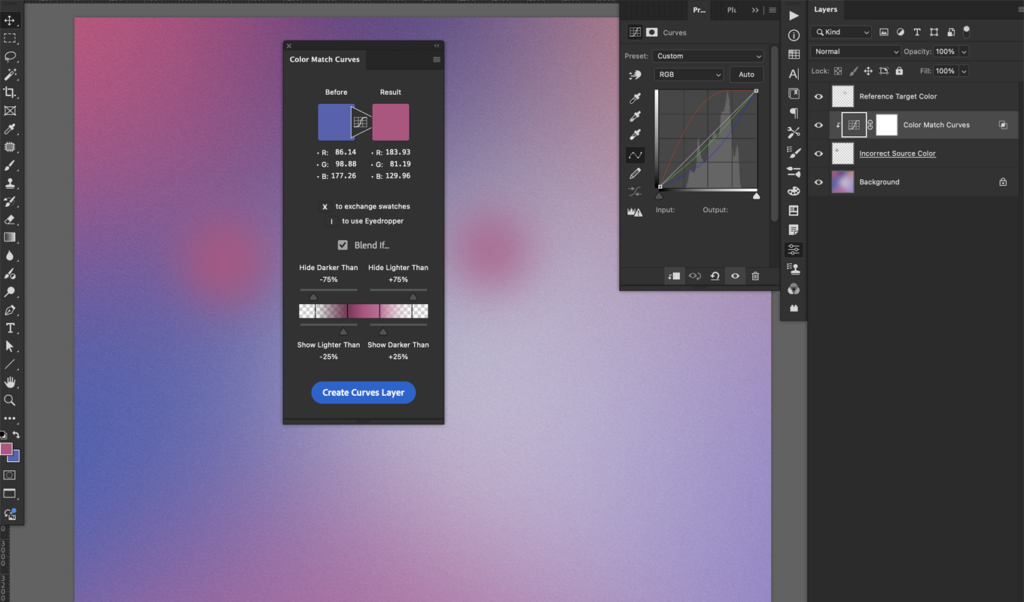
Color Match Curves works best for color MATCHING to a similar color, particularly a midtone, rather than color CHANGING to a drastically different color. Currently only RGB mode is supported.
Probably the best way to use the plugin, once you’re familiar with how it works, is to record it into an action, and assign a keyboard shortcut so you can play it back conveniently.